
Product purpose
Copy a supported trade lifecycle across local accounts
Use one Sender and one or more independently configured Receivers across MT4, MT5 and cTrader Desktop while keeping platform and broker behavior visible.
AVAILABLE
A local trade copier for MetaTrader 4, MetaTrader 5 and cTrader Desktop, designed for one Sender and independently configured Receivers.
Marketplace price$119per platform edition
Overview
Axivor Trade Copier is a local multi-account trade copier for MetaTrader 4, MetaTrader 5 and cTrader Desktop. Copy supported market trades, Stop Loss and Take Profit changes and full closes across same-platform or mixed-platform account setups, with flexible Receiver volume control, persistent mapping and restart protection.
The product uses a documented Sender and Receiver workflow. Same-platform setups work locally without a separate relay service; mixed-platform relationships use a local Shared Journal on the same native Windows computer or VPS.
Product story
Product purpose
Use one Sender and one or more independently configured Receivers across MT4, MT5 and cTrader Desktop while keeping platform and broker behavior visible.
Simple same-platform setup
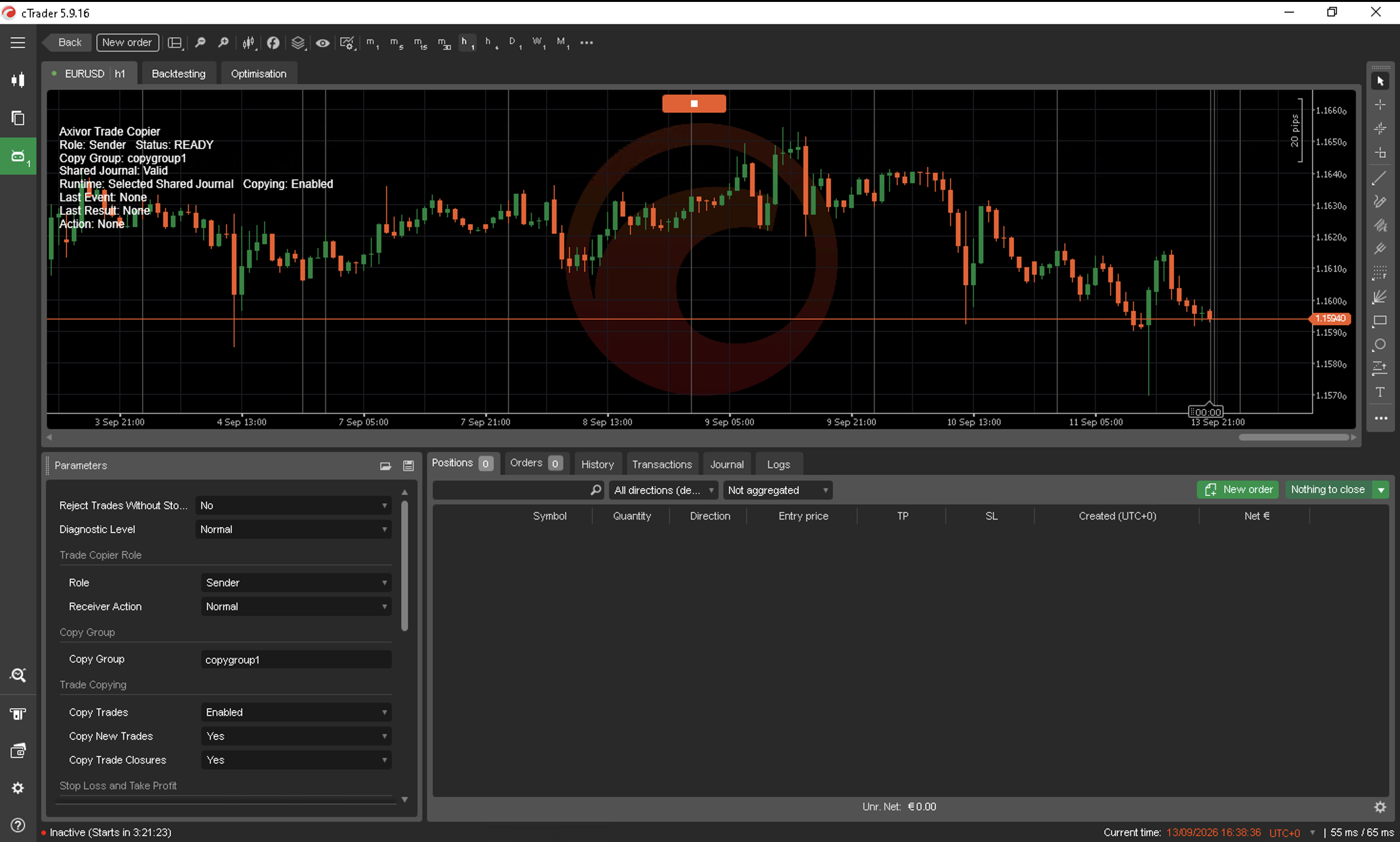
For MT4-to-MT4, MT5-to-MT5 or cTrader-to-cTrader, leave the target as Receiver, set the source to Sender, use the same Copy Group, start the Sender first and confirm READY.
Mixed-platform workflow
All nine directed MT4, MT5 and cTrader Desktop combinations are supported. Mixed-platform routes require the documented one-time Shared Journal setup on the same native Windows computer or VPS.
Customer outcomes
Operate on one native Windows computer or VPS without an Axivor cloud relay service.
One Sender can serve multiple Receivers, each with its own supported volume settings and execution outcome.
Normal restarts preserve mapping and processing progress so completed copy events are not replayed.
Capabilities
Workflow
Set the source account to Sender and each target account to Receiver.
Use the same Copy Group on every participant in the relationship.
Wait for the Sender to become READY, then start each Receiver and confirm READY.
Test a minimum-size OPEN with SL/TP, MODIFY, full CLOSE and RESTART before live use.
Platform fit
Implementation, customer support and marketplace availability are separate release decisions. Use the labels below to confirm the current platform and release state before planning setup.
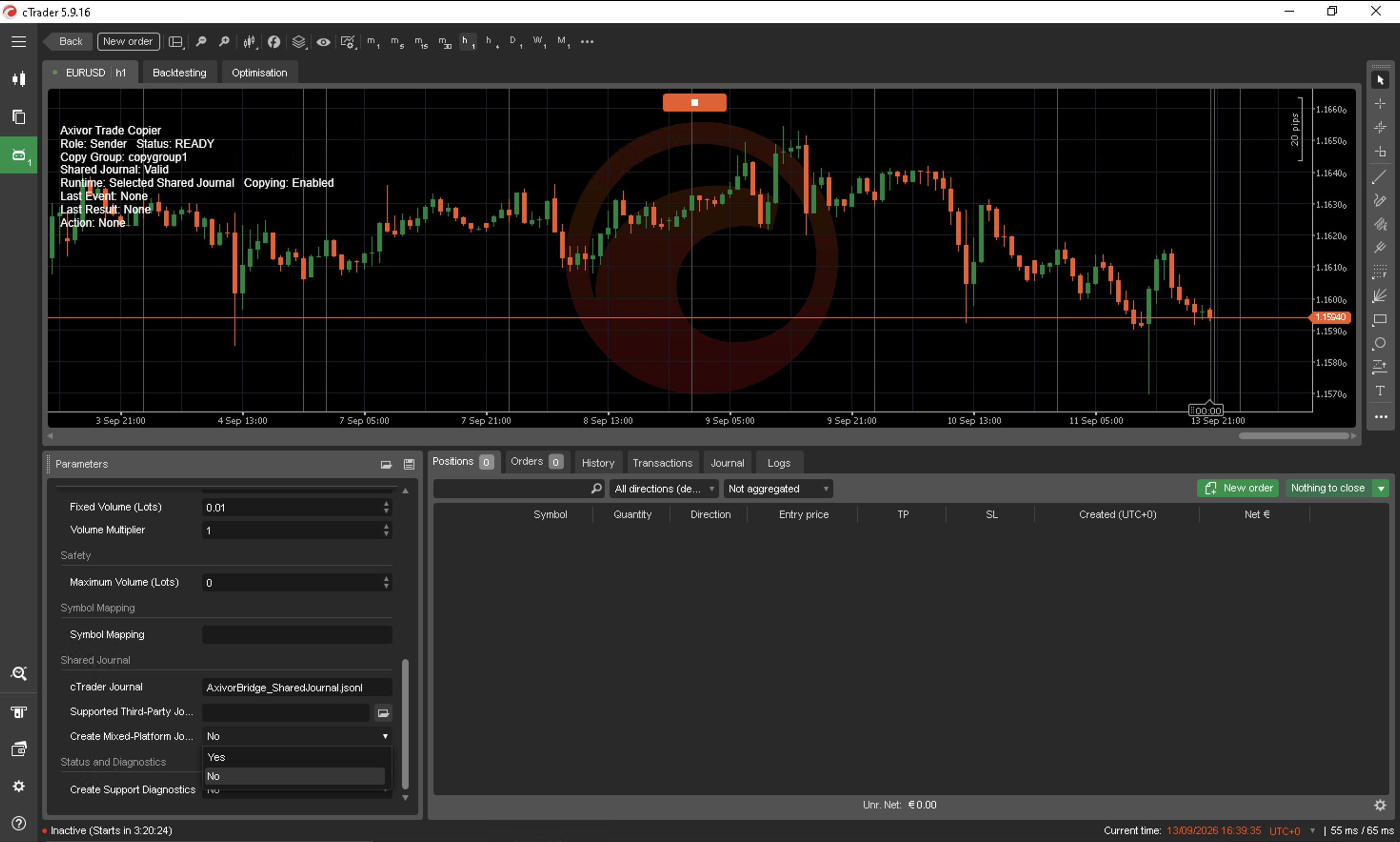
Product view
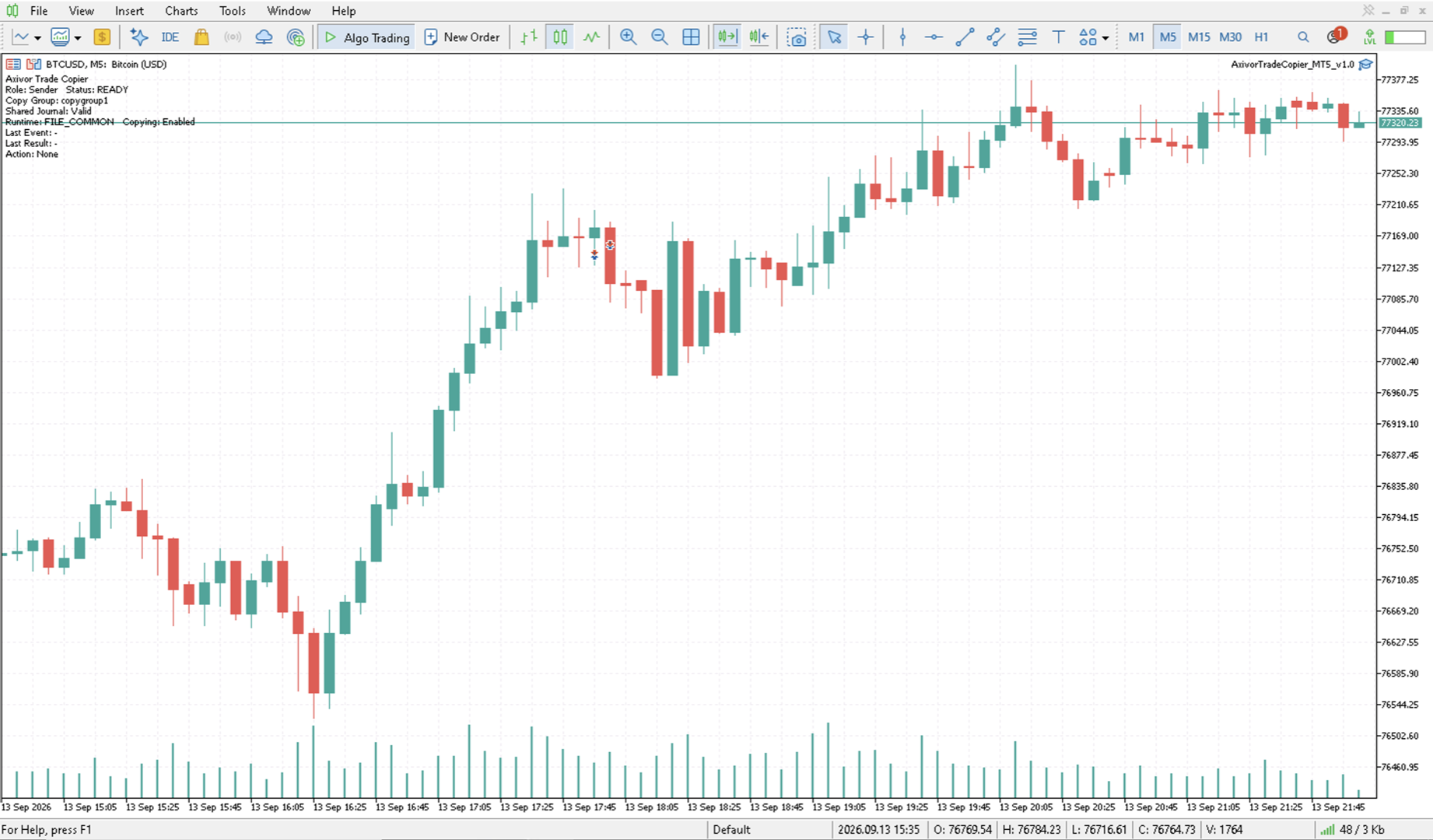
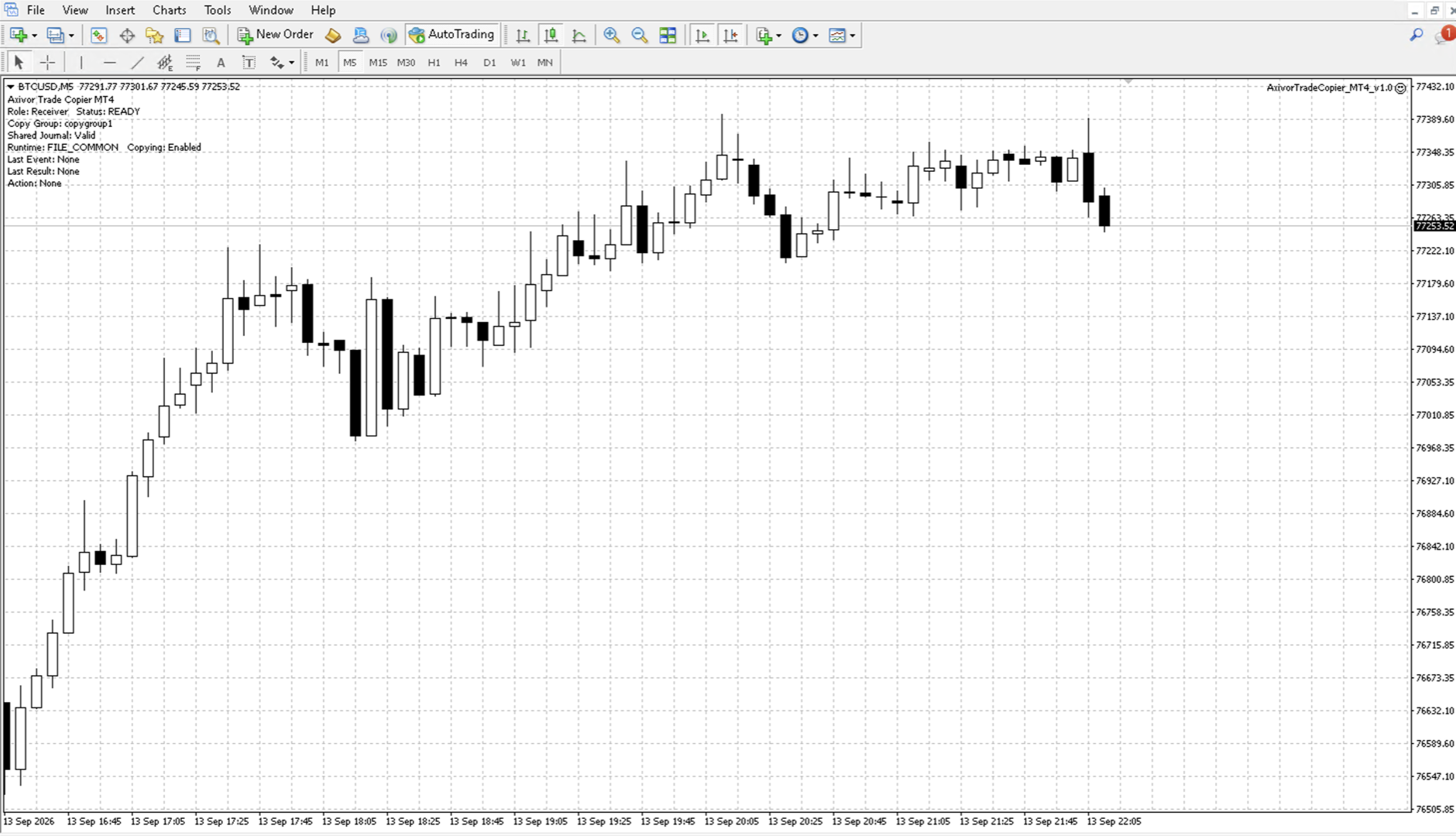
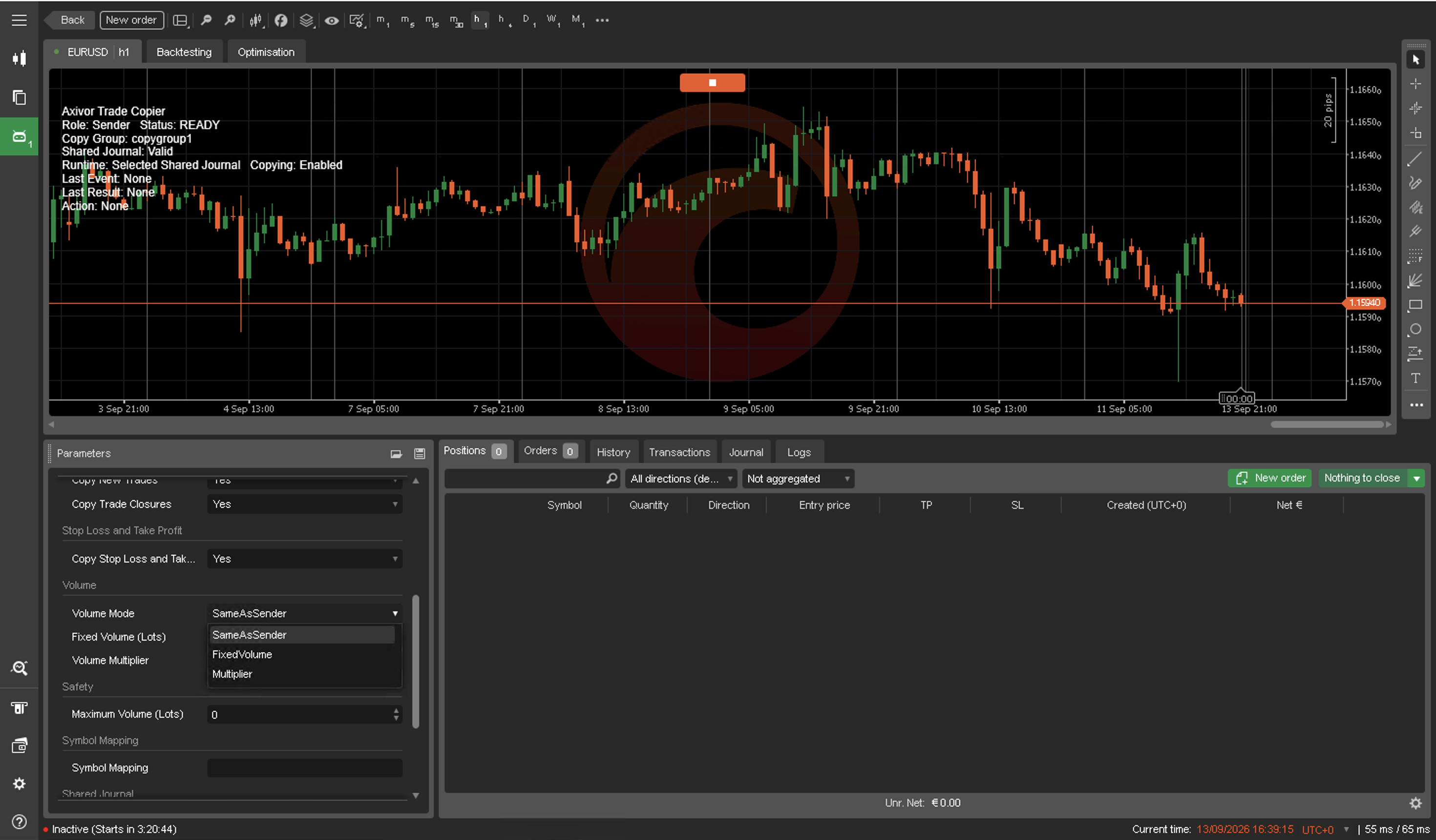
Real product views from the approved customer release.
Customer success
Use the product page to decide fit, then follow the maintained documentation, platform-specific setup and support path.
Learn more
Review platform scope, configuration, reference and release information before installation.
Read documentationView setup
Follow the platform-specific installation and validation path before live operation.
View setupGet support
Use troubleshooting first, then contact Support with platform, version and redacted diagnostics.
Open supportFAQ
Axivor Trade Copier Version 1.0 is available for MetaTrader 4, MetaTrader 5 and cTrader Desktop. All nine directed same-platform and mixed-platform combinations are supported.
No. Normal MT4-to-MT4, MT5-to-MT5 and cTrader-to-cTrader Basic setup needs no preset, file selection or filesystem work.
No. Trade Copier copies the supported lifecycle from the Sender; it does not choose trades or market direction.
No. Symbol availability, broker rules, volume normalization, prices, timing, spread, liquidity and slippage can produce different outcomes.
Use the Axivor Trade Copier documentation on this website. MetaTrader users can also consult the published MQL5 mixed-platform setup guide.
Clear boundaries
These boundaries are part of evaluating product fit. Detailed operating guidance remains in documentation.
Pending orders are not supported in Version 1.0.
Partial closes are not supported in Version 1.0.
Risk-based Receiver sizing is not supported in Version 1.0.
Changing Sender requires a controlled reset while all affected accounts are flat.
Mixed-platform operation requires the documented local Shared Journal setup.
Configure explicit symbol mappings when broker names differ.
Preserve Runtime and journal files and follow documented support guidance when recovery is required.
Version 1.0 supports cTrader Desktop; cTrader Cloud is not supported.
Sender-side acknowledgement visibility on some mixed cTrader-to-MetaTrader routes is limited by platform file-access permissions. Receiver-side execution records remain authoritative. This does not prevent trade copying.
Related workflows
Each product solves a distinct operating problem. Explore another workflow only when it matches the next decision you need to make.
CONTROL
Axivor Risk Calculator — Plan, size and review a manual trade before execution—using visible Entry, Stop Loss and Take Profit levels, percentage or fixed-cash risk, and broker-normalized volume.
Explore Axivor Risk CalculatorAUTOMATE
Axivor Liquidity Trend Bot — Run a defined, configurable strategy process on MT5 or cTrader, with methodology, operating filters and risk boundaries made clear before use.
Explore Axivor Liquidity Trend BotMarketplace-first
MT4 and MT5 products use MQL5 Market. cTrader products use cTrader Store. A purchase link appears only after its destination is verified.
Risk disclaimer
Trading involves risk. Axivor Trade Copier cannot guarantee target fill price, identical timing, broker acceptance or an identical execution outcome. Symbol availability, contract metadata, volume rules, margin, precision, stop levels, market hours, spread, liquidity, slippage and broker policy remain authoritative.
Need help?
If the documented setup does not reach the expected state, prepare the platform, version and redacted diagnostic details before contacting Support.