
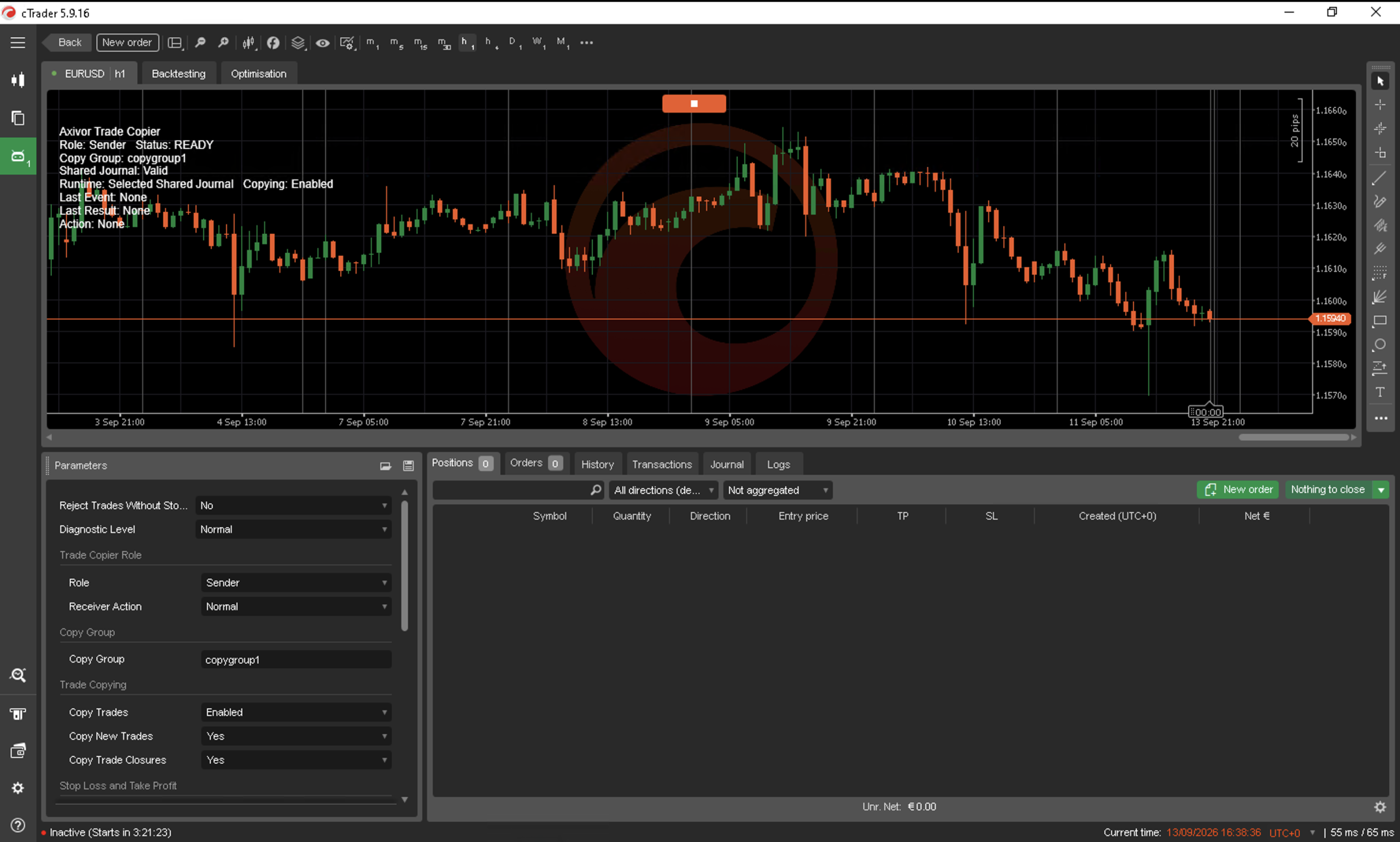
Axivor Trade Copier Version 1.0 is available for MetaTrader 4, MetaTrader 5 and cTrader Desktop.
Axivor Trade Copier is the Axivor CONNECT product: a local multi-account trade copier for traders who want to copy supported market-position activity between accounts without relying on a separate external relay service.
Axivor Trade Copier was originally published as Axivor Bridge and has been renamed to make its purpose clearer in marketplace search and discovery.
Available now
Choose the edition that matches the platform where you will run Axivor Trade Copier.
MetaTrader 5
Get Axivor Trade Copier for MT5 on MQL5 Market
MetaTrader 4
Get Axivor Trade Copier for MT4 on MQL5 Market
cTrader Desktop
Get Axivor Trade Copier on cTrader Store
The current marketplace price is $119 per platform edition. The cTrader Store may show a $199 regular price with a $119 promotional price.
All nine desktop-platform combinations
Axivor Trade Copier supports all nine directed combinations among MT4, MT5 and cTrader Desktop. This includes same-platform relationships such as MT5 to MT5 and mixed-platform relationships such as MT5 to cTrader Desktop or cTrader Desktop to MT4.
Axivor Trade Copier operates on a native Windows computer or VPS. It does not operate in cTrader Cloud.
Simple same-platform setup
Normal MT4-to-MT4, MT5-to-MT5 and cTrader-to-cTrader use follows the same short operating pattern:
- Install or attach Axivor Trade Copier on both accounts.
- Leave the target account in the default Receiver role.
- Change the source account to Sender.
- Use the same Copy Group on both sides.
- Start the Sender first, then start the Receiver.
- Confirm that both sides show READY before testing the relationship.
No preset, filesystem work or Shared Journal selection is required for normal same-platform use.
What Version 1.0 copies
- market BUY and SELL opens;
- initial Stop Loss and Take Profit levels;
- later Stop Loss and Take Profit modifications;
- supported full and manual closes.
Axivor Trade Copier copies the supported lifecycle from the Sender. It does not select trades, generate signals or choose market direction.
One Sender, multiple Receivers
One Sender can serve multiple independently configured Receivers using the same Copy Group. Practical capacity depends on the computer, terminals and brokers involved.
Each Receiver can use its own volume mode and Symbol Mapping. Its execution outcome remains governed by its own platform, account, symbol and broker conditions.
Receiver volume control
Each Receiver provides three supported volume modes:
- Same as Sender — preserve the intended source economic volume using available contract information;
- Fixed Volume — use a configured Receiver volume;
- Multiplier — apply a configured multiplier to the Sender volume.
An optional non-zero Maximum Volume acts as a rejection ceiling. A copy above that configured ceiling is rejected rather than silently reduced.
Persistent mapping and restart protection
Axivor Trade Copier preserves source-to-target mapping and processing progress across a normal restart. This allows the relationship to resume without replaying copy events that were already completed.
Mixed-platform support
Mixed-platform relationships use a local Shared Journal and require a one-time documented setup on the same native Windows computer or VPS. The full procedure is maintained in the Axivor Trade Copier documentation.
MetaTrader customers can also use the MQL5 mixed-platform setup guide as a focused companion reference.
Local desktop architecture
Axivor Trade Copier coordinates locally and does not rely on a separate Axivor cloud relay service. The cTrader edition is qualified with AccessRights.None. Actual timing and execution still depend on the local environment, trading platforms, brokers and market conditions.
Transparent Version 1.0 scope
The following capabilities are not supported in Version 1.0:
- pending-order copying;
- partial-close copying;
- risk-based Receiver sizing;
- seamless live Sender migration;
- automatic mixed-platform journal discovery;
- automatic universal symbol mapping;
- advanced recovery tooling;
- cTrader Cloud.
When broker symbol names differ, configure an explicit SOURCE=TARGET mapping. Follow the documented controlled reset procedure before changing a live Sender relationship.
Product information and documentation
Axivor Trade Copier product page
Axivor Trade Copier Version 1.0 documentation
Optional Trade Copier presets