
Before execution
A trade idea still needs a complete risk decision
Direction alone is not a plan. Entry, invalidation, target, intended risk and platform-valid volume all need to be visible and checked before an order is submitted.
AVAILABLE
Plan, size and review a manual trade before execution—using visible Entry, Stop Loss and Take Profit levels, percentage or fixed-cash risk, and broker-normalized volume.
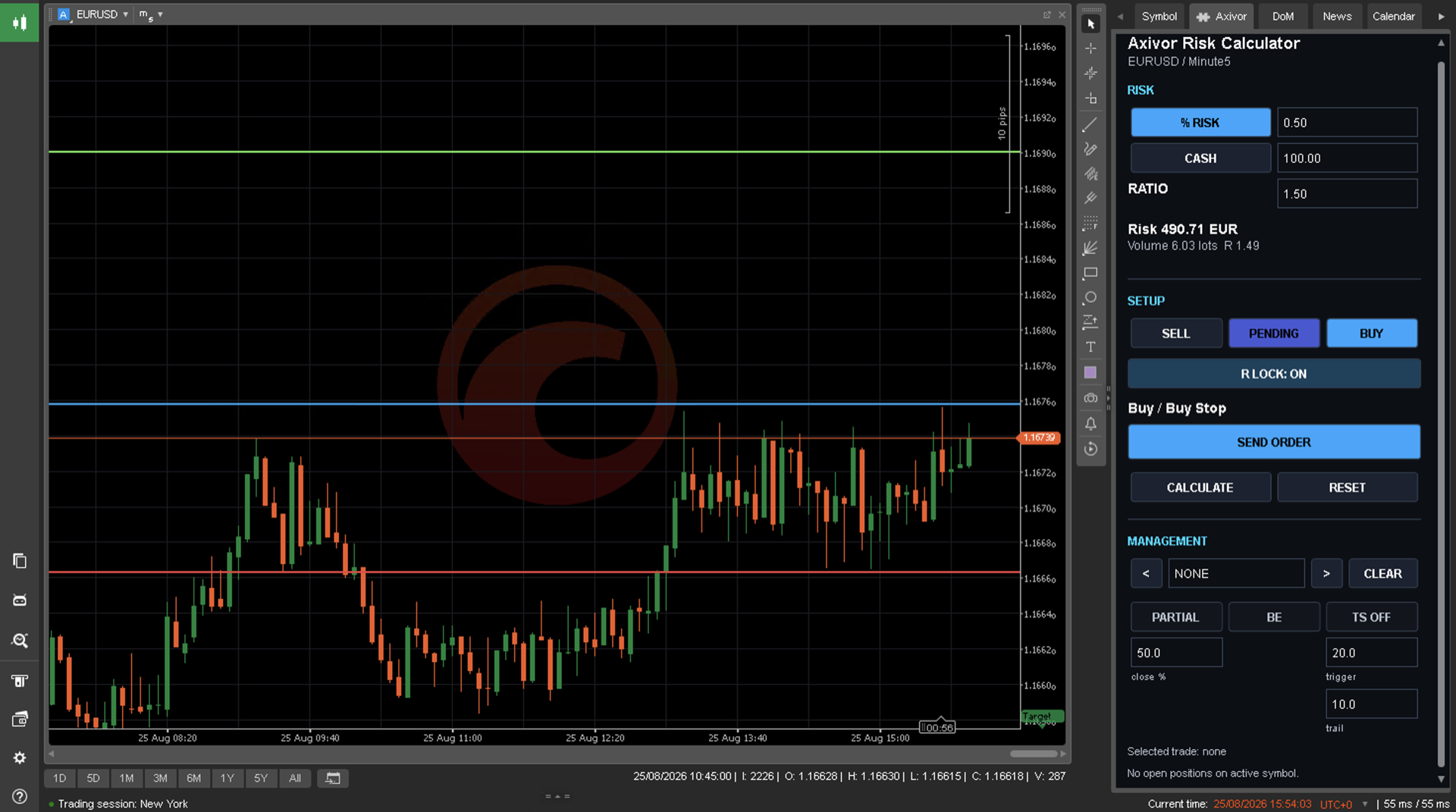
Overview
Axivor Risk Calculator brings the core pre-trade decisions into one chart-based manual workflow. Choose direction and order mode, position Entry, Stop Loss and Take Profit, select percentage or fixed-cash risk, and review normalized size and monetary risk before an explicit send-and-confirm step. Customer release 1.0.0 is available for MT4, MT5 and cTrader Desktop through verified MQL5 Market and cTrader Store listings.
Product story
Before execution
Direction alone is not a plan. Entry, invalidation, target, intended risk and platform-valid volume all need to be visible and checked before an order is submitted.
CONTROL workflow
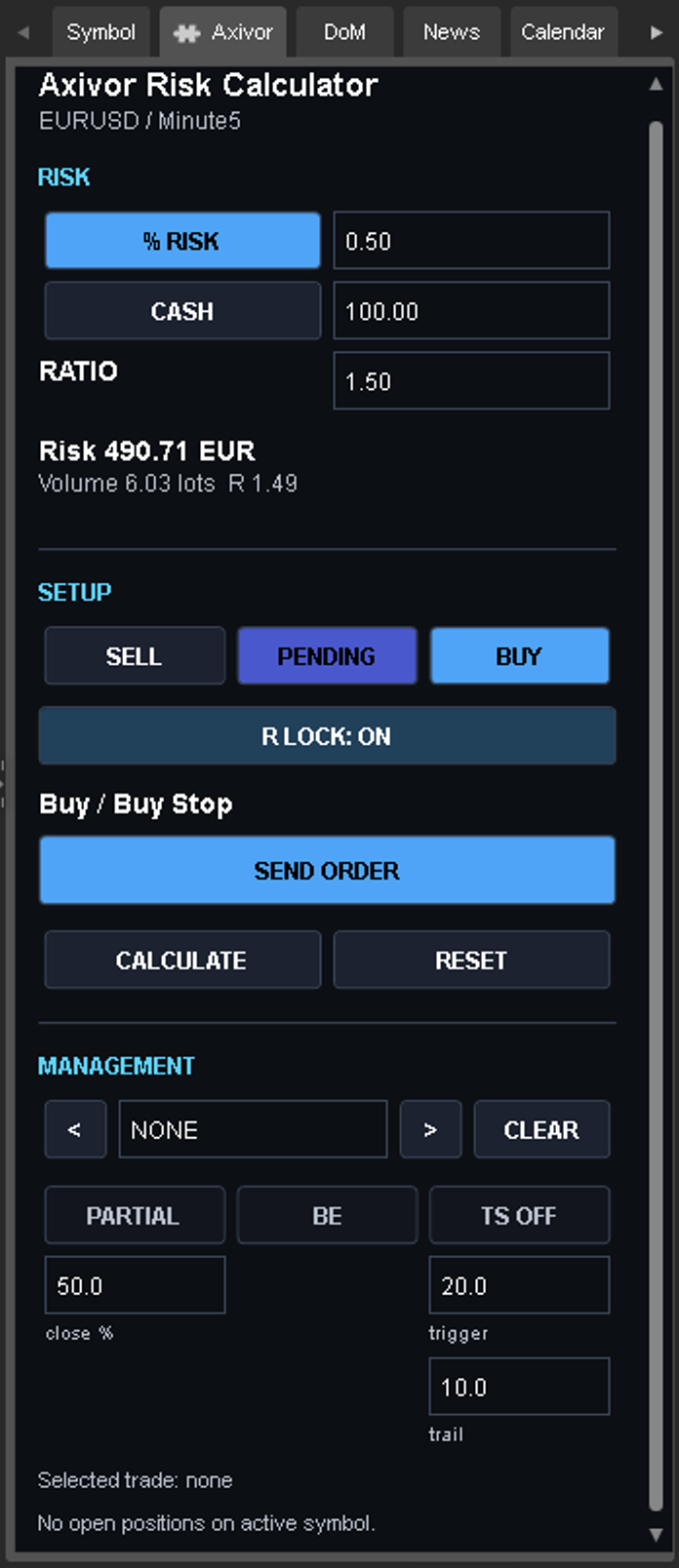
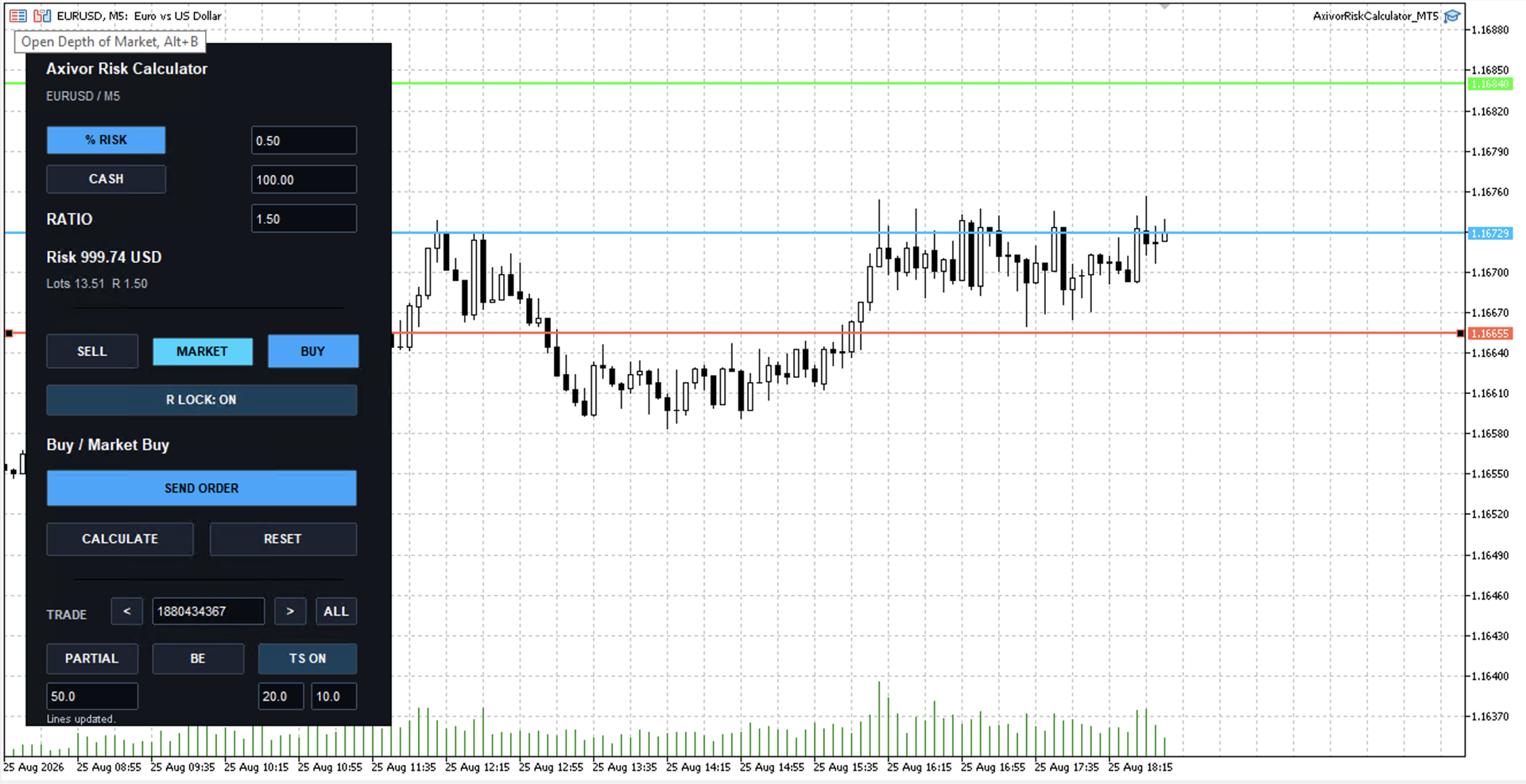
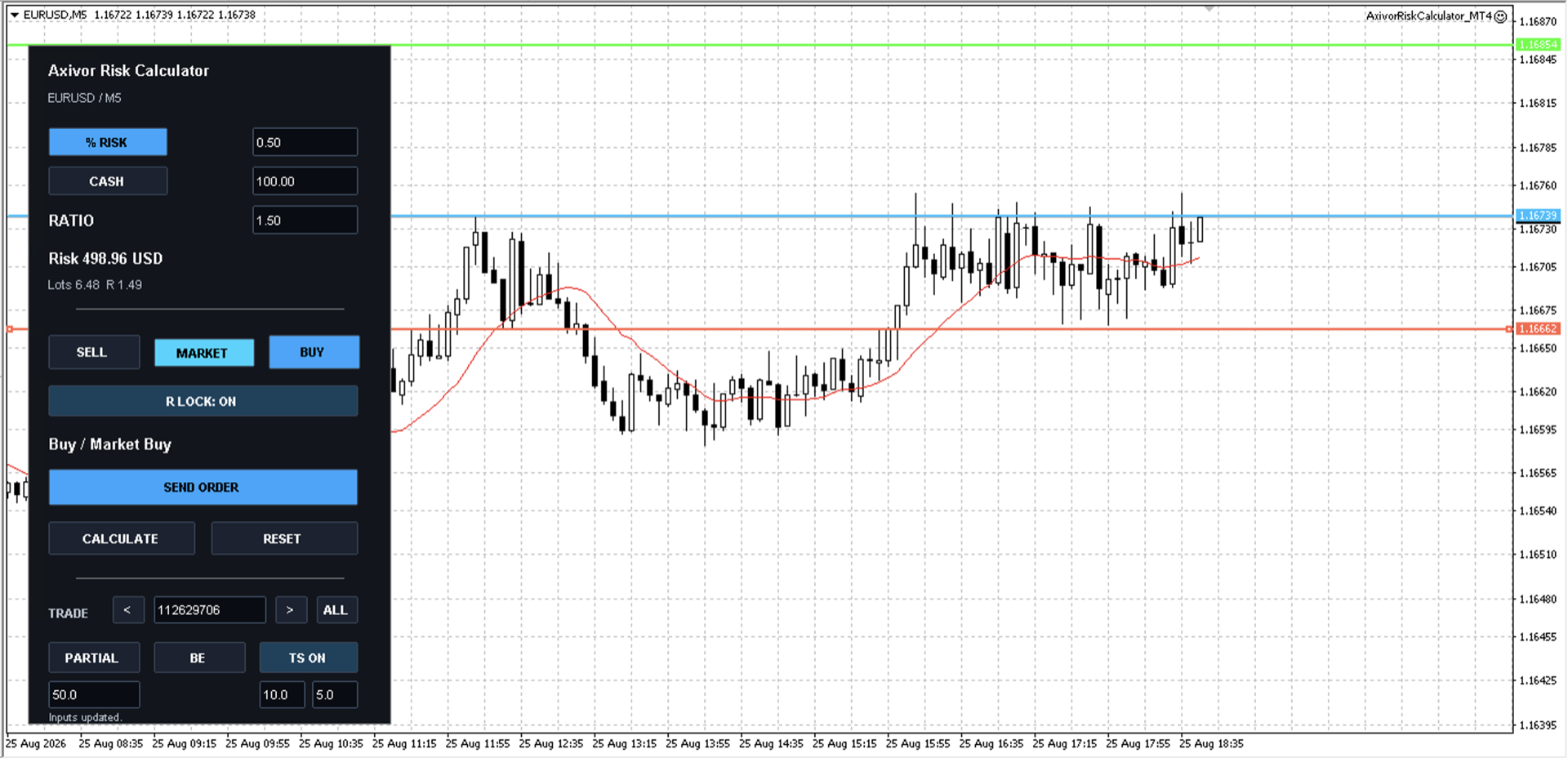
Place Entry, Stop Loss and Take Profit on the chart, choose percentage or fixed-cash risk, and inspect the broker-normalized position size and monetary risk in one focused workflow.
Explicit approval
Moving a line or changing a field recalculates the setup. An order is submitted only through the explicit send-and-confirm workflow, so the trader retains the setup and approval decision.
Customer outcomes
Review direction, price levels, intended risk, normalized size and planned R together before submission.
Move from setup geometry to risk choice, validation and confirmation without treating a raw lot calculation as the whole decision.
Review the normalized result produced from the active account, symbol and platform data instead of assuming identical volume behavior everywhere.
Capabilities
Platform differences
The certified release keeps the workflow consistent while respecting each platform's own sizing, execution and interface rules.
| Area | MT4 | MT5 | cTrader |
|---|---|---|---|
| Component | Expert Advisor | Expert Advisor | Desktop plugin in the Active Symbol Panel |
| Customer release | 1.0.0 | 1.0.0 | 1.0.0 |
| Below-minimum positive volume | Clamps to broker minimum and displays actual risk | Rejects with zero/error | Uses native symbol normalization |
| Execution controls | MT-style deviation where exposed | MT-style deviation where exposed | No equivalent MT deviation setting |
Workflow
Select Buy or Sell, then choose Market or Pending planning.
Drag the chart lines to the intended setup and keep every price on the valid side of Entry.
Enter the risk amount you are prepared to take and review the normalized size and displayed monetary risk.
Choose the target R value and use R Lock when SL and TP should remain synchronized to it.
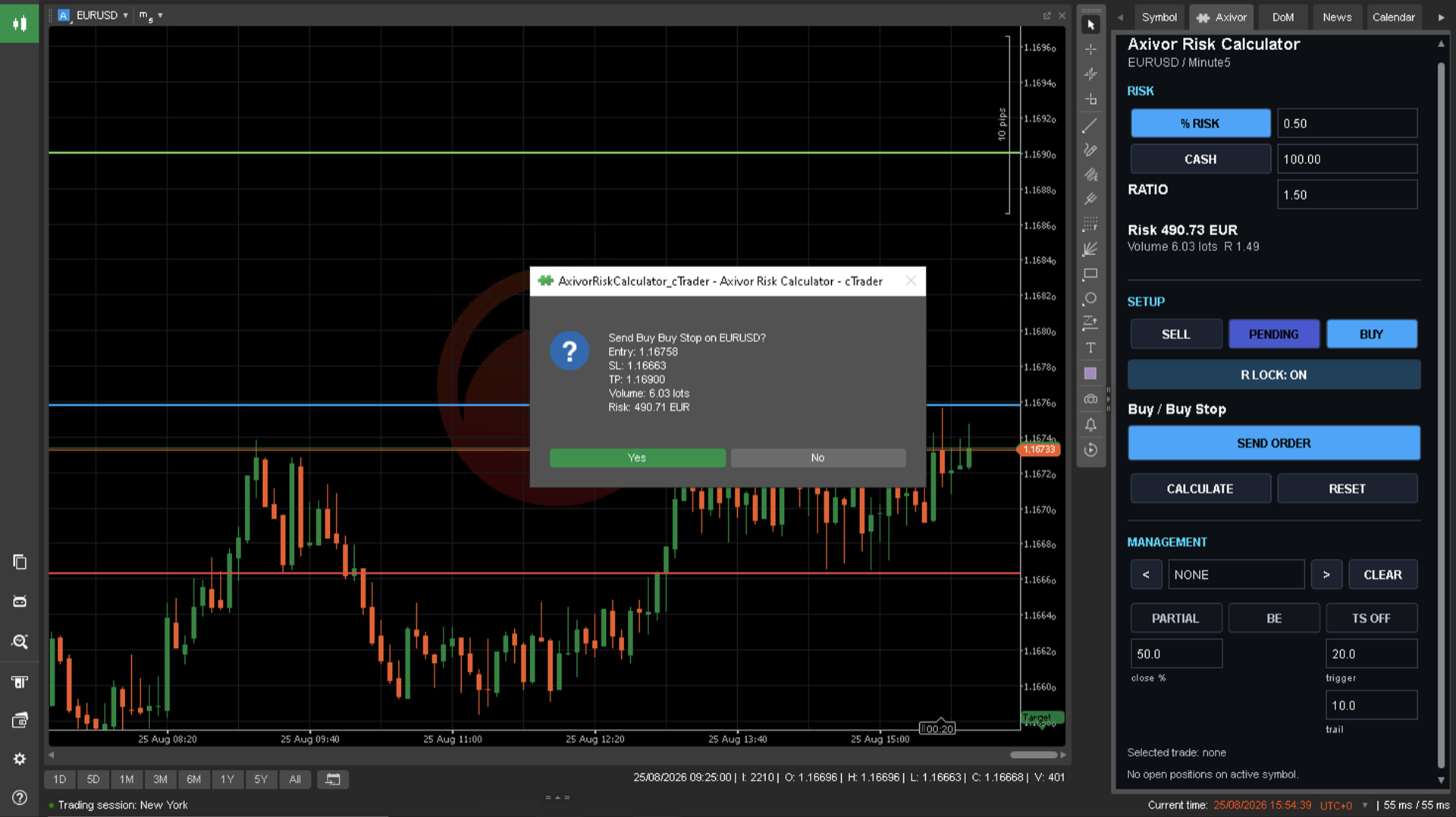
Check symbol, direction, order type, volume, prices, monetary risk and R before explicitly approving submission.
Platform fit
Implementation, customer support and marketplace availability are separate release decisions. Use the labels below to confirm the current platform and release state before planning setup.
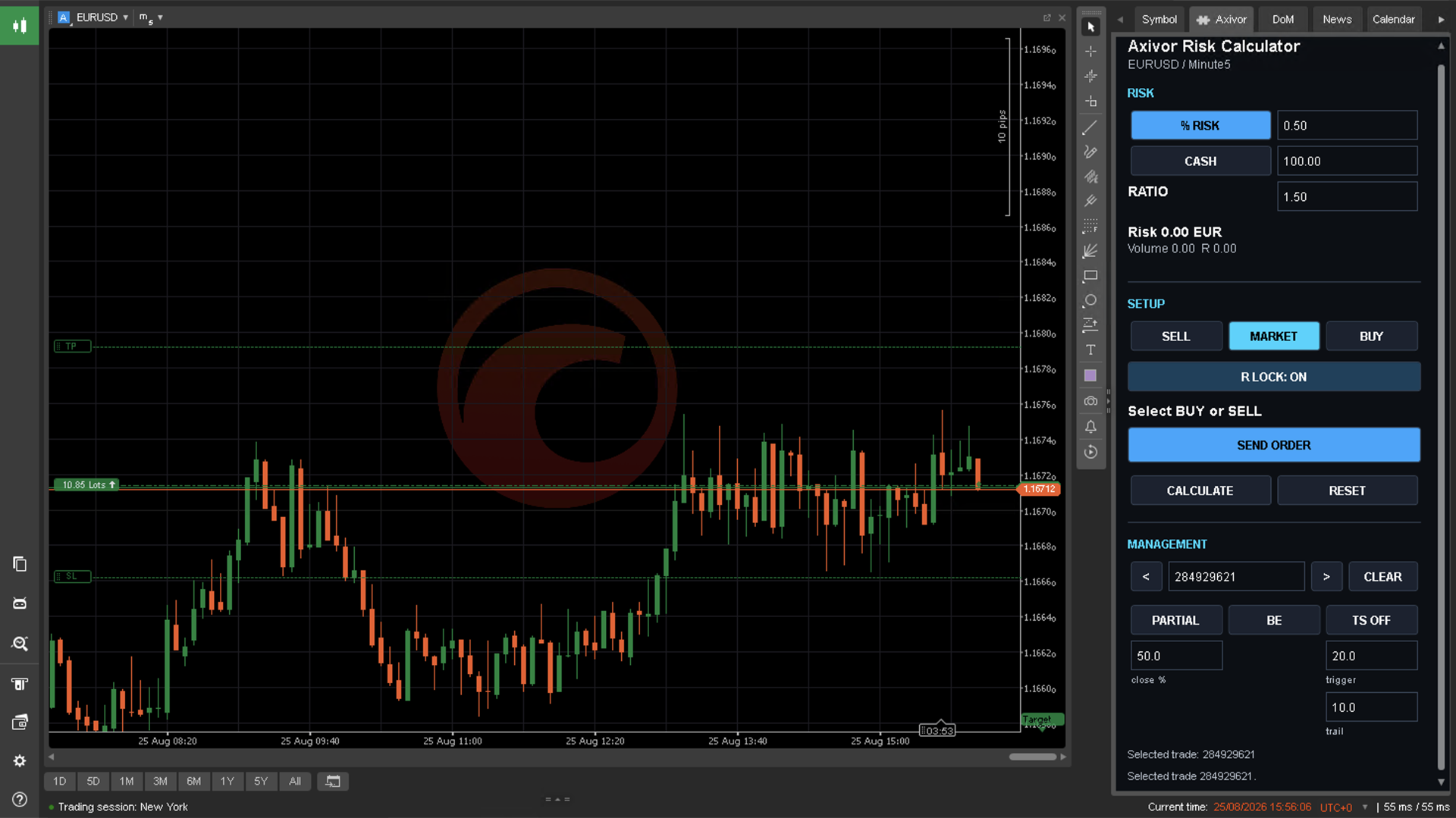
Product view
Real product views from the approved customer release.
Customer success
Use the product page to decide fit, then follow the maintained documentation, platform-specific setup and support path.
Learn more
Review platform scope, configuration, reference and release information before installation.
Read documentationView setup
Follow the platform-specific installation and validation path before live operation.
View setupGet support
Use troubleshooting first, then contact Support with platform, version and redacted diagnostics.
Open supportFAQ
Customer release 1.0.0 is available for MetaTrader 4, MetaTrader 5 and cTrader Desktop through the verified marketplace links on this page.
The product combines the selected percentage or cash risk with Entry-to-Stop-Loss distance and live broker/platform symbol specifications, then normalizes the result to allowed volume rules.
Percentage risk scales with the account basis used by the platform. Fixed cash uses an amount in the account currency. Fixed cash is not a fixed lot-size mode.
Yes. The product derives Buy Limit, Buy Stop, Sell Limit or Sell Stop from the selected direction and Entry position relative to market.
R Lock preserves the selected reward-to-risk relationship. Moving SL adjusts TP, and moving TP adjusts SL, while the lock is enabled.
No. Line and field changes recalculate only. Submission requires the explicit SEND ORDER and confirmation workflow.
For a specifically selected open trade, the release supports partial close, move to break even and pip-based trailing, subject to platform and broker rules. Individual certification depth differs by platform.
Yes. Interface, normalization, execution controls and trade scoping are platform-native. In particular, MT4 may clamp a small positive volume to minimum, while MT5 rejects a below-minimum result.
No. Gaps, slippage, costs, connectivity, broker rules and market movement can make actual execution and loss differ from the displayed plan.
Use the Risk Calculator documentation hub for quick start, platform installation, operating guidance and troubleshooting. If still blocked, contact Axivor Support with platform, customer-facing version and redacted diagnostics.
Clear boundaries
These boundaries are part of evaluating product fit. Detailed operating guidance remains in documentation.
The trader chooses symbol, direction, prices and risk. The product does not generate signals, predict performance or act as a strategy.
Market movement, gaps, slippage, connectivity and broker behavior can make execution and realized loss differ from the plan.
Prices, tick value, contract size, volume limits, volume step and trading rules affect the normalized result.
Automatic partial-TP lines, ATR trailing and structure trailing are not available in customer release 1.0.0.
Related workflows
Each product solves a distinct operating problem. Explore another workflow only when it matches the next decision you need to make.
CONNECT
Axivor Trade Copier — A local trade copier for MetaTrader 4, MetaTrader 5 and cTrader Desktop, designed for one Sender and independently configured Receivers.
Explore Axivor Trade CopierAUTOMATE
Axivor Liquidity Trend Bot — Run a defined, configurable strategy process on MT5 or cTrader, with methodology, operating filters and risk boundaries made clear before use.
Explore Axivor Liquidity Trend BotMarketplace-first
MT4 and MT5 products use MQL5 Market. cTrader products use cTrader Store. A purchase link appears only after its destination is verified.
Risk disclaimer
Axivor Risk Calculator assists manual trade planning and optional order submission; it is not a signal service, strategy or guarantee of execution, risk control, profitability or outcome. Calculations depend on account and broker/platform data, and the user remains responsible for checking and approving every trade. Test on demo first.
Need help?
If the documented setup does not reach the expected state, prepare the platform, version and redacted diagnostic details before contacting Support.